
Cable 5005 adds an input to the Vehicle Gateway so it can see when a piece of equipment is running. It is also the cable used for the Driver ID Reader and the Bendix integration.
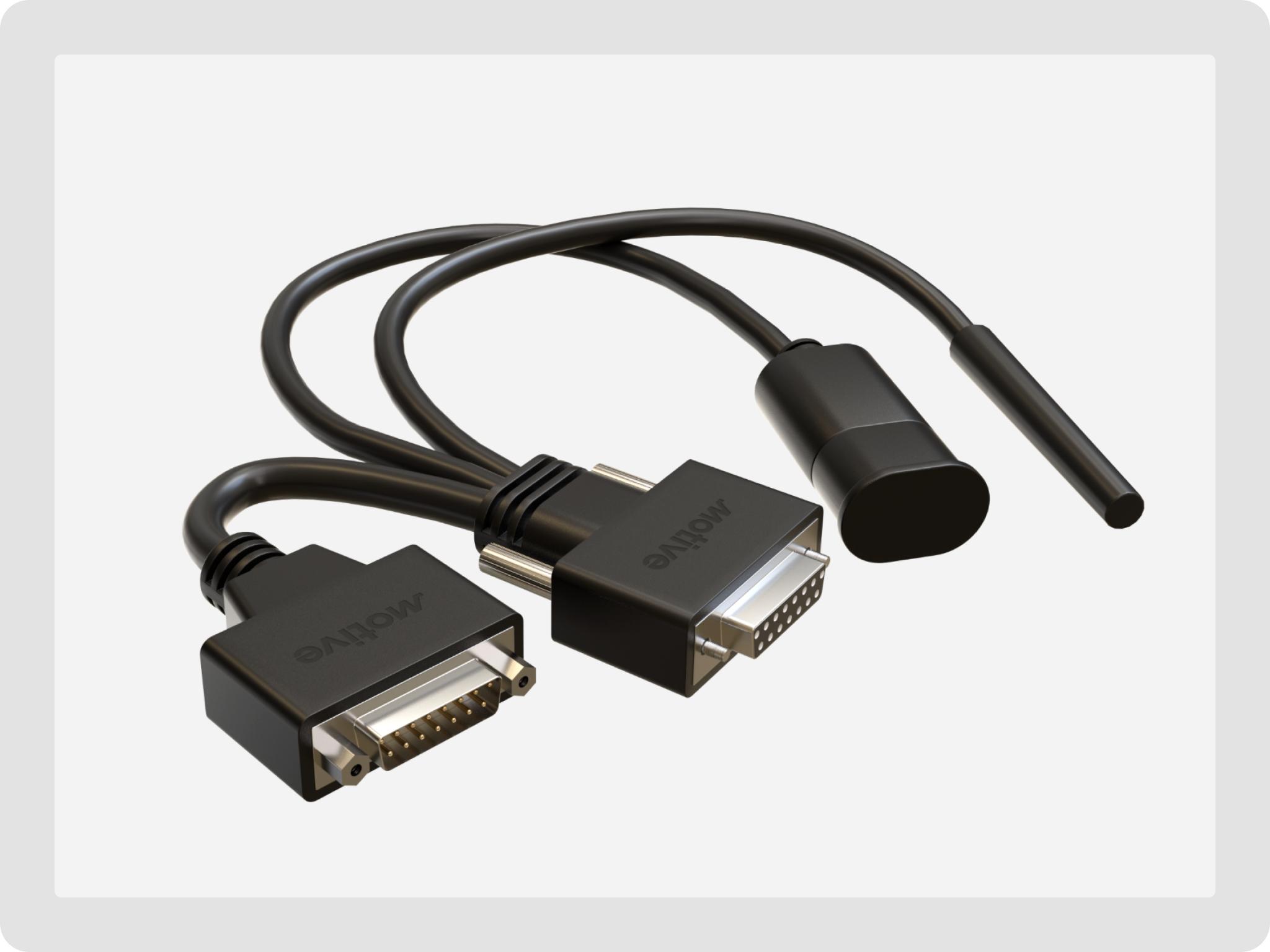
Cable 5005 connects between the Vehicle Gateway and any existing Motive 3000-series cable. Motive calls it the PTO AUX cable. It captures power take-off activity, including usage, location and duration. It enables the Bendix integration, which sends data from the Bendix SafetyDirect processor to the web-based Bendix Safety Portal through the gateway. And it is used to install the Driver ID Reader.
Motive's PTO and AUX article says the inputs feed the platform for usage reporting, idling classification and safety or operations workflows. Fleet Admins turn them on per vehicle, and the system flags configurations that need confirmation before the data is used.
Motive estimates the install at one to two hours and notes that extra parts or tools may be needed.
1. Open Admin, then Organization, then Vehicles.
2. Open the vehicle's details from the three-dot menu.
3. In the Auxiliary and PTO Cabled section, add the input number and equipment type.
4. Choose the reporting option and add Fleet Manager or external recipients.
5. Save the section.
After that, the PTO and AUX Activity Detail report under Reports can be filtered by date, group, vehicle, input, signal and equipment type, and you can request video of AUX activity from the same report.
The hard part of a PTO install is the source, not the cable. Pick a signal that is really on only when the equipment is working. A source that stays high would report the equipment as running all day, and a source that never reaches 2.2V would never report it. Check the signal with a meter in both states before you connect the AUX wire.
The 5005 does not stand alone. It needs an existing 3000-series cable on the vehicle, and it goes in line between that cable and the gateway. If the vehicle has a 3010-family OBD-II cable or an RP1226 cable instead, ask Motive which series the 5005 pairs with before you order.
Cable length and the light patterns in text.
Motive specifies between 2.2V and 48V steady-state when on and 0V when off.
In line between the Vehicle Gateway and an existing Motive 3000-series cable.
Yes. Motive says the 5005 is used to install the Driver ID Reader.
Sources: Motive help center, Enable PTO and AUX Input for Vehicles and Cables overview, read Nov 25, 2026
Tell us how many vehicles you run and what you want to see, and we will match you to the right Motive devices and the install that goes with them.
We Supply It. We Install It. One Call.
