
Find the symptom, check the likely cause, and try the fixes in order. The swap test settles most arguments about whether it is the device or the vehicle.
Move the suspect device to a vehicle that works. If it powers up there, the problem is the first vehicle or its cable. You can also move a known-good gateway into the suspect vehicle. Take photos of the cable ends and ports before you change anything, as Motive recommends for the record.

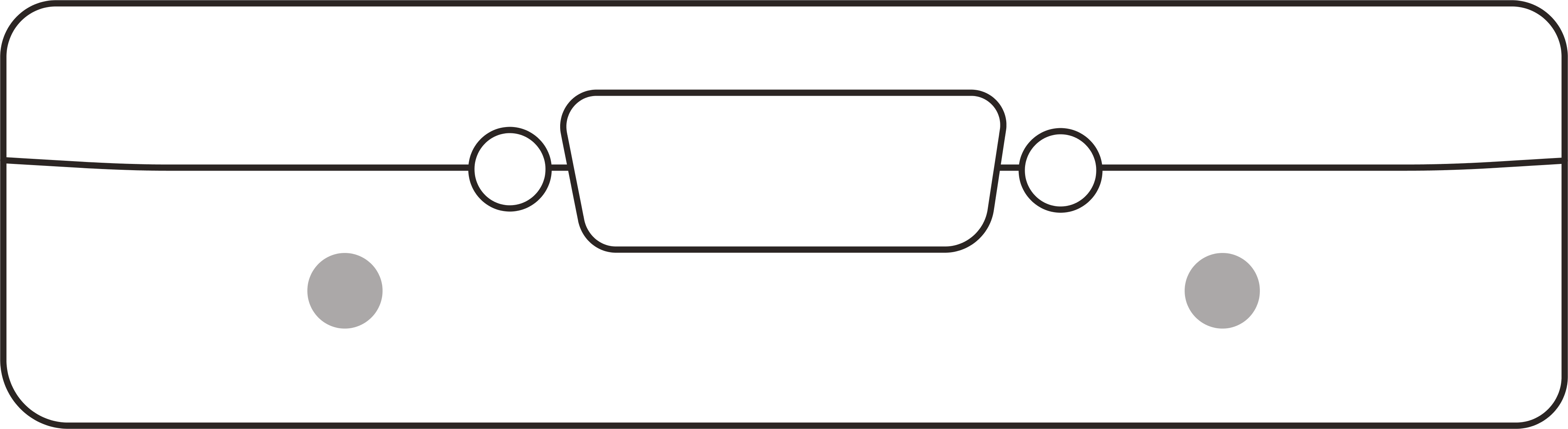


| Symptom | Likely cause | Try this |
|---|---|---|
| No lights at all | Loose or wrong cable, no power at the port or fuse, drained battery, kill switch on, debris in the port | Ignition on, kill switch off, reseat the cable, jump-start if drained, then a pinhole reset on a 3.6 or newer unit |
| Still dark after the reset | Deeper power or unit fault | Unplug for 24 hours or more, plug back in and repeat the reset, then run the swap test |
| Both lights blink red | Normal at first power up | Wait two to three minutes. If it persists, check the single-light fixes |
| Left light stays red | No GPS fix | Move away from metal plates and heater vents, logo up with a clear view of the sky |
| Right light red or blinking red | App not connected | Pair the Driver App. Fast blinking means the vehicle is moving |
| Will not turn off | Open speed sensor fault codes or a bad connection | Confirm No Vehicle in the app, engine off, unplug both ends, inspect for corrosion, wait five minutes, reconnect |
| Drive time shows zero | Wrong cable, corroded or pushed-back pins, open fault codes, old firmware | Inspect all connectors, unplug five minutes, reconnect with the engine on, test drive |
| Codes 1, 2, P or E | App and gateway out of sync | Right light green, leave the vehicle and log out, wait 15 seconds, log in. Drive above 5 MPH. Remove any Y-cable and plug in directly |
| Invalid fault codes | Stale data | Engine off, unplug three to five minutes until the lights are off, replug |
| Telematics check failed | Link not re-established | Disconnect five to ten minutes, reconnect with the engine on, wait two minutes, then check the cable |
Turn off power-saver mode on the phone. In the Driver App, leave the current vehicle and log out. On an iPhone, forget the Motive device in Bluetooth settings. Turn Bluetooth off, restart the phone, unplug the gateway until its lights go out and plug it back in. Update the app, log in, pick the vehicle and connect to the accessory that matches the serial number. If the serial number begins with AABL, hold the pinhole beside the USB port with a paperclip for about 15 seconds.
For a PIN prompt, try 0000, 1111 or 1234. If none work, unplug the gateway, wait for the lights to go off, plug it back in after about a minute and try again. On iPhone the engine must be running. A light-duty OBD-II gateway goes into low power mode after about 45 minutes with the engine off and can take two to three minutes to wake. Allow background refresh, set location to always with precise location on, allow notifications and turn Low Power Mode off. Test a second phone, then a second gateway.
| Symptom | Likely cause | Try this |
|---|---|---|
| Will not power up | Gateway off, damaged cable or USB port, loose connection, old firmware | Check gateway lights, inspect the cable, power the camera from another source, remove any USB hub, pinhole reset |
| Keeps disconnecting | Loose USB, dirty connectors, damaged port | Engine off, unplug both devices, clean and reseat, wait for the gateway red and green light, then reconnect. Solid blue means it worked |
| Test image fails | Camera not connected, not powered or busy uploading | Look for blue within three minutes. Wait two minutes and retry. If it still fails, unplug, wait five minutes and reconnect |
| Camera frozen | Software stopped responding | Pinhole on the left side for 10 to 12 seconds. White blinks once while pressed, then blinks during the firmware update |
| Wrong picture | Placement | Road view should show the road and hood. Driver view should show the driver from the waist up to the head |
| Solid white on a Smart Dashcam | Usually a storage problem | Contact Motive Support |
A pinhole reset alone does not alert the fleet admin, but a Dashcam Disconnect alert can fire if one is set and the camera stays offline long enough. Obstructions that spoil the picture include tinted glass, a sun visor and the rearview mirror. Wipe the glass, press the camera on for 10 to 20 seconds, and do not mount on a badly cracked windshield without the customer's consent.
An Omnicam with no light needs a pinhole reset, then a check that the supply is 12 or 24 volts. Keep the serial number ready for Motive Support.
For an Asset Gateway that will not power up, the battery may be drained or the solar panel is not getting sun. Charge with Cable 4020 on a 12 volt supply of at least one amp for a couple of hours, then shake the unit and look for green. Low battery under 10 percent often means shade, a reefer that needs cable power, or a unit stored unused for months. If no location shows within 48 hours, hold the reset for 10 seconds until the light blinks blue three times and wait 30 minutes for a GPS fix. A battery unit can need up to 12 more hours.
On an Environmental Sensor, blinking red means the paired gateway was not found, blinking yellow means a weak signal, and solid red means the battery is low.
Check power and cable first, then the lights, then the app. Unplug for five minutes before you decide a gateway is bad, and run the swap test before you replace anything.
Photograph the connections and note the lights before you start. It makes a support call short.
Motive's dashcam guide does not cover SD card, storage or calibration faults. Contact Motive Support for those.
Sources: Motive help center troubleshooting guides, read Nov 25, 2026
Tell us how many vehicles you run and what you want to see, and we will match you to the right Motive devices and the install that goes with them.
We Supply It. We Install It. One Call.
