
The 3044 sits between a Motive vehicle cable and the gateway. It keeps the gateway working when the diagnostic port connection is lost, and it adds one AUX input.
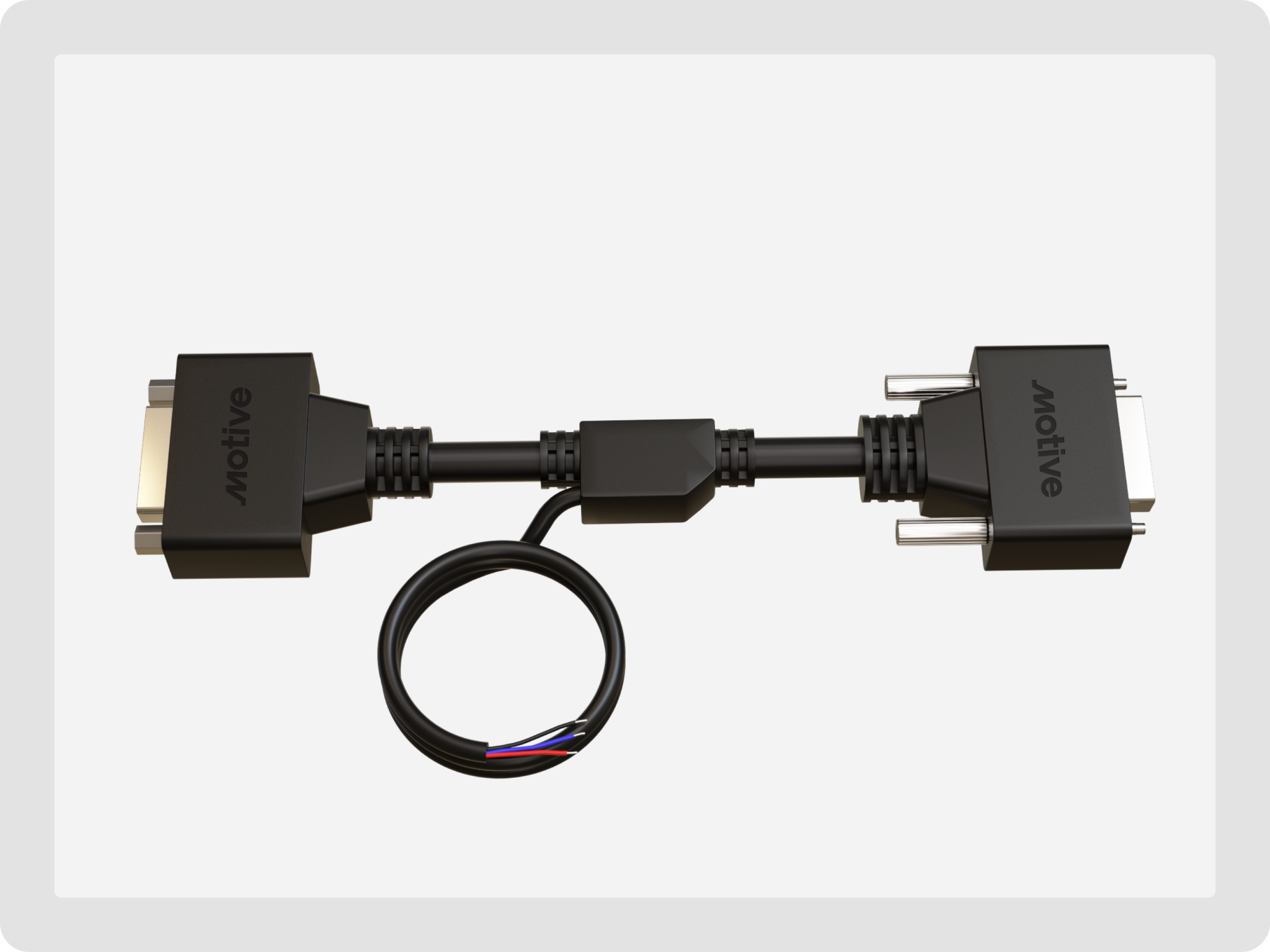
Motive describes the 3044 as a hardwired accessory that fits between an existing gateway cable and the Vehicle Gateway, providing dual power connections. It supports two things. Failsafe means the gateway can keep giving basic tracking and safety features when it is unplugged from the OBD-II or J1939 port. Extended installation coverage means the gateway stays operational when a battery kill switch or engine immobilizer is activated.
| Wire | Function |
|---|---|
| Red | 12V or 24V switched ignition power |
| Blue | PTO or AUX input |
| Black | Ground. Motive recommends the vehicle battery over the chassis. |
The article lists a 5 amp fuse and a fuse tap in the tools and gives no further fuse instructions. The PTO and AUX input is read as ON at between 3.3V and 17V and OFF at between 0V and 2.5V. The 3044 supports AUX 1 only, and AUX 2 is not supported.
1. Attach the gateway to the adapter and tighten both thumbscrews.
2. Connect the 3044's DB-15 end to the gateway cable.
3. Remove the protective cap from the adapter's secondary power connection.
4. Ignition on: with a multimeter confirm the chosen wire or fuse slot has 12V or 24V.
5. Ignition off: confirm the chosen slot draws no current.
6. Connect the red wire to the selected power source.
7. Check the ground reads 0 volts.
8. Connect the black wire to the battery or chassis ground.
9. Check the PTO or AUX input voltage. If AUX is not needed, ground the input.
10. Connect the blue wire to the PTO or AUX input, or to ground if AUX is not needed.
11. Turn on the PTO equipment and check the gateway lights to confirm the input is detected. The patterns are shown only in an image in Motive's article, so check the article.
12. Enable PTO or AUX input in the Fleet Dashboard.
Motive warns that regulations may prohibit any Y-cable setup that relocates the in-vehicle diagnostic port, and says to make sure the install does not relocate it on vehicles that may operate in California.
Steps four and five deserve the most care. A source that reads 12V with the ignition on but also with the ignition off is not a switched source, and the red wire is meant for switched ignition. Test both states with the meter before you connect. When AUX is not used, Motive says to ground the input, so follow steps nine and ten as written.
The 3044 does not replace the base cable. It goes between a Motive vehicle cable, such as the 3015, 3017, 3002, 3003 or 3035 that ship with it, and the gateway. That is why the install starts by attaching the gateway to the adapter and then connecting the adapter to the vehicle cable.
Cable length and the gateway light patterns in text. Ask Motive for them.
It gives the gateway a second power connection so it can keep basic tracking and safety features if the port connection is lost, and it adds a PTO or AUX input.
No. Motive says it supports AUX 1 only.
The red wire, 12V or 24V.
Sources: Motive help center, Cable 3044 adapter and Cables overview, read Nov 25, 2026
Tell us how many vehicles you run and what you want to see, and we will match you to the right Motive devices and the install that goes with them.
We Supply It. We Install It. One Call.
