
Every number here comes from Motive's published Vehicle Gateway spec sheet. Where the sheet is silent, this page says so instead of guessing.
The Vehicle Gateway has two lights with the USB port between them. Hold it with the Motive logo facing up: the left light is the GPS light and the right light is the Driver App and engine data light. Tap any button to see the pattern and hear what it means. Blink speeds are illustrative, and the firmware update and pinhole reset patterns are in the Lights and Sounds table.
🔊 Turn your sound on.
Left is GPS. Right is the app. Green is good.
Tap a button to see it
Each button plays the pattern on the Vehicle Gateway above, says out loud what it means, and tells you what to do.
On this generation, blinking yellow and white together is a firmware update. A pinhole reset shows blinking green and blue for about 30 seconds, then yellow for 4 to 5 seconds, then white. It is finished when both lights blink green or red again.
Tap a button to see it
Each button plays the pattern on the Vehicle Gateway above, says out loud what it means, and tells you what to do.
On this generation, a brief orange on startup is normal while it boots. Orange that lasts over a minute means a device or power problem, so call Motive Support. Orange and green blinking together is a firmware update. There is no pinhole reset on this generation: unplug it from the diagnostic port, wait one minute, and plug it back in.
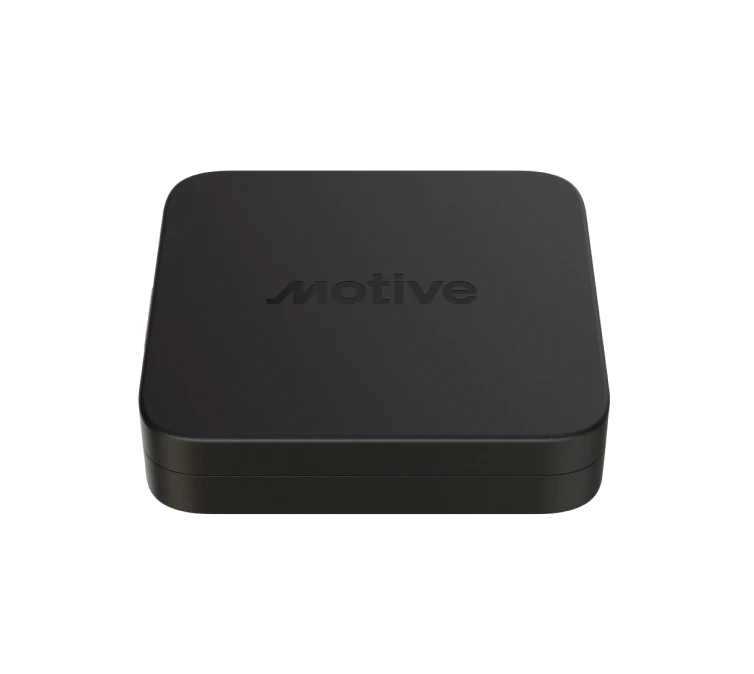
Motive publishes a Vehicle Gateway spec sheet on its website. The version we read is the 2023 sheet. It lists power, connectivity, ports and protocols. It does not list a model number, dimensions, weight or storage temperature. We only repeat what the sheet prints. For anything else, ask Motive, and check that you are looking at the sheet for the generation in your hand, since the older 3.55 units and the 3.6 and newer units are not identical.
| Item | Motive lists |
|---|---|
| Input voltage | 8V to 32V |
| Power use, vehicle on | 1.55W to 5.5W |
| Sleep mode | Under 30 mA |
| Internal battery | Li-Ion, referenced as LBB 3.55 and LBB 3.6 |
| Operating temperature | -40°F to 185°F (-40°C to 85°C) |
| Automotive conditions standard | SAE 1455 |
An 8 to 32 volt window covers both 12-volt and 24-volt electrical systems. The internal battery is what lets the unit report a power interruption or an unplug alert. The sheet ties those two battery names to power-interruption reliability and unplug alerts, and does not give a capacity.
| Item | Motive lists |
|---|---|
| Cellular | AT&T 4G LTE with 3G fallback, North America |
| GPS and GNSS | GPS and GLONASS |
| Location updates | Every 2 seconds |
| Bluetooth | Used to move log data without cell coverage |
| USB | Used to move log data without cell coverage |
| In-cab Wi-Fi hotspot | 500 MB free per month on Pro and Enterprise plans |
| Asset Gateway pairing | Supported |
Bluetooth and USB are the reason a driver can still log data in a dead zone. Both are described on the sheet as paths for log data when there is no cellular reception.
| Item | Motive lists |
|---|---|
| Diagnostic ports | J1939 9-pin, J1962 OBD-II, J1708 6-pin |
| Protocols | SAE J1708/J1587, J1939, J1962, J1979, J1850 through the Auto-tap |
| Digital inputs | 2 supported AUX lines |
| AUX input voltage | 2.2V to 48V |
| Compatible vehicle types | TMC RP 1226, proprietary Volvo 2013 to 2018, proprietary Mack 2013 to 2018, proprietary Volvo and Mack 2018 and newer, proprietary Freightliner (varies by model and year) |
The cable you choose decides which of those ports the gateway talks through. The Cables and Accessories page matches cable numbers to vehicles.
Check battery voltage before you blame the unit. A gateway that sits in an 8 to 32 volt window will not behave on a vehicle whose battery is far below that. The sleep draw figure is the number to quote when a fleet manager asks whether the gateway will run a battery down, and the answer is the one Motive printed, under 30 mA. When the lights show a problem, the Lights and Sounds page is the fast route. When the unit refuses to power up, start at the cable.
Model number, dimensions, weight, storage temperature and certifications. If a customer or an inspector needs any of those in writing, ask Motive for the current document.
Motive lists an input range of 8V to 32V, which covers 12-volt and 24-volt systems.
The spec sheet says GPS location updates every 2 seconds.
Not on the spec sheet we read. Ask Motive if you need one in writing.
Sources: Motive Vehicle Gateway spec sheet (2023), read Nov 25, 2026
Tell us how many vehicles you run and what you want to see, and we will match you to the right Motive devices and the install that goes with them.
We Supply It. We Install It. One Call.
