
 Mastering Geotab
★ Geotab Products · Dash Camera
Mastering Geotab
★ Geotab Products · Dash Camera
The GO Focus is a forward-facing AI dash cam that rides on your existing Geotab GO device. It watches the road, not the driver, and saves footage only around key driving events.
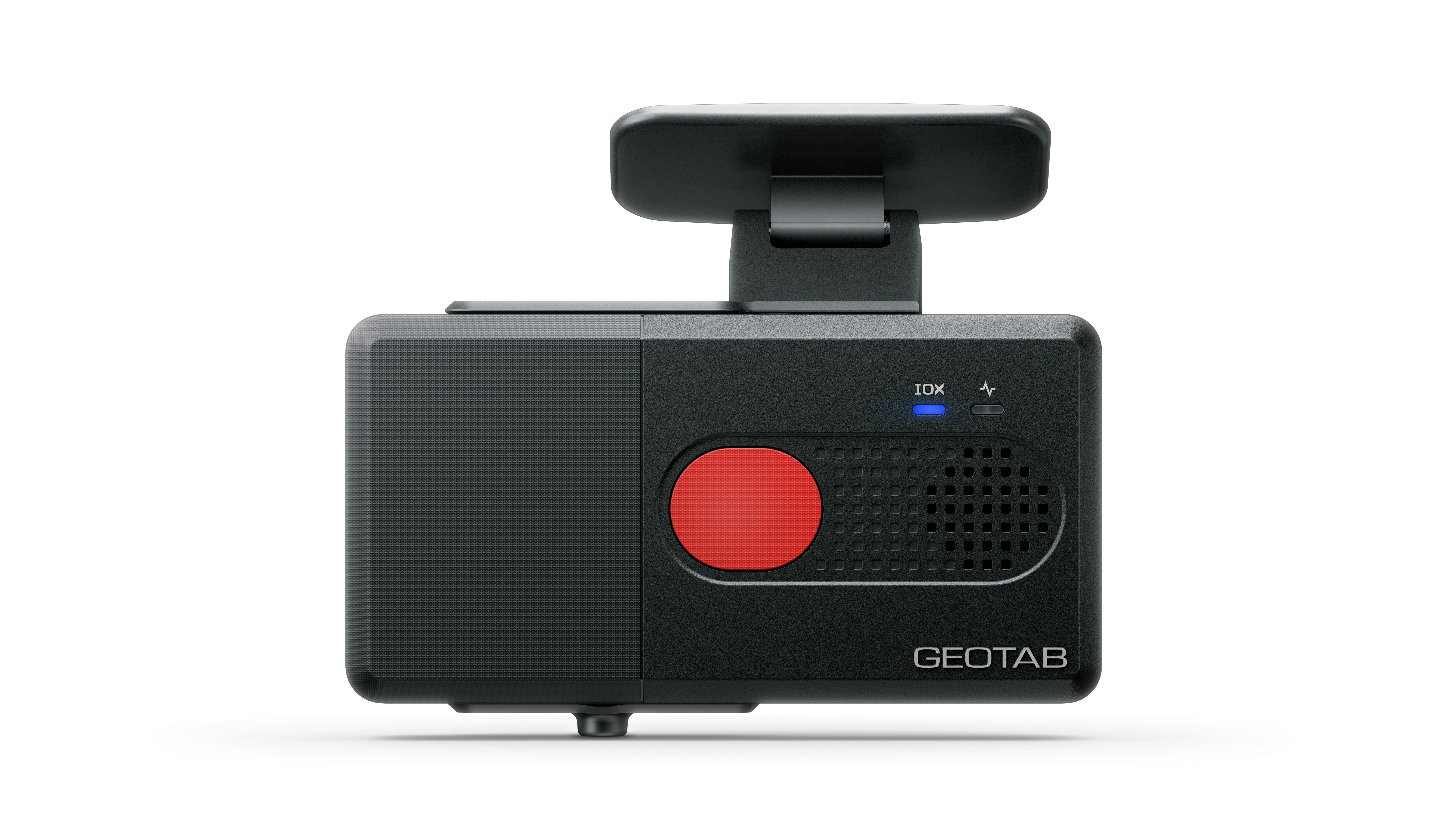
The GO Focus is Geotab's entry point into video telematics. It is a single-lens, road-facing dash cam that mounts on the windshield and connects to a Geotab GO device through the IOX expansion port. That one connection carries both its data and its 12V or 24V power, so the unit does not need its own fuse taps the way some other dash cams do.
The design leans heavily toward driver privacy. There is no cabin lens at all. The dash cam processes video on the unit itself, encrypts what it stores, and only captures road footage when a specific driving event occurs. There is no continuous streaming to a manager's screen. For fleets where drivers have pushed back on dash cams, that distinction often decides whether a video program gets off the ground.
Service and delivery vans. A plumbing or HVAC outfit running a dozen vans often wants proof when a driver gets cut off or rear-ended at a light. The GO Focus gives them a road view of those moments without putting a lens on the technician's face.
Unionized and municipal fleets. Public works departments and fleets with labor agreements frequently cannot install driver-facing dash cams without a long negotiation. A road-only unit lets them start collecting collision evidence now.
Light pickups and sales vehicles. Fleets whose main video question is who caused the crash, rather than what the driver was doing in the cab, get the answer they need at a lower complexity level.
Fleets already running GO9 devices. Because the dash cam draws power and data from the GO device, adding it to an existing Geotab install is a contained job.
| Spec | Detail |
|---|---|
| Lens view | Road-facing only |
| Vehicle interface | IOX connection for data transfer and 12V/24V power |
| Compatible GO devices | GO9 and newer (not GO8 or earlier) |
| Cellular | LTE CAT-1 |
| Dimensions | 130.0 x 66.9 x 49.4 mm |
| Weight | 294 g |
| Housing | Polycarbonate |
| Operating current (12V) | 780 mA typical, 1300 mA maximum |
| Sleep current (12V) | 10 mA maximum |
| Operating temperature | -30 to +60 °C |
| Certifications | FCC, IC, ISED, PTCRB, CE, UKCA, RCM |
Geotab's install steps call for the GO device to stay unplugged from the vehicle until the dash cam work is done, then the dash cam cable attaches at the GO device and the IOX extension plugs in behind it. The mount goes inside the wiper sweep, level and pointed straight ahead, out of the driver's sightline. Clean the glass with alcohol first and hold the bracket under firm pressure for about 30 seconds. The harness at the OBD port must be cable tied on both sides, because Geotab warns that a connection shaken loose by vibration can trigger engine computer faults. When the vehicle starts, the unit chimes and pairs on its own; a solid blue light for 15 seconds means activation worked, and flashing or solid red points to a connection or activation problem. Do not move the unit while it flashes blue. Our technicians check the vehicle's GO device generation before the install, since a GO8 or older unit will not run this model.
The GO Focus suits fleets that want road evidence and tailgating data with the least driver friction, and that already run GO9 or newer hardware. It is also a reasonable first step for an owner who is unsure about video and wants to see what event footage looks like before committing further.
Fleets that want distraction, phone use or fatigue detection need a cabin lens, which points to the GO Focus Plus. Trucks, buses or equipment haulers with blind spots on every side, or fleets that want plate recognition and side cameras, should look at the GO Focus Pro. Fleets still on GO8 devices need a device upgrade first.
No. It has a single road-facing lens, and Geotab describes the recording as limited to road footage around specific driving events. There is no cabin view to review.
Not in the standard setup. The IOX connection to the GO device supplies both data and power, which is one reason the install is cleaner than a dash cam that needs separate fuse taps.
Geotab states there is no continuous video streaming on this model. Footage comes from recorded events reviewed in MyGeotab. Live view from trip history is listed on the newer Plus and Pro models instead.
API Signal supplies the GO Focus and mounts it in your vans and pickups right at your yard, so no vehicle leaves the lot for the work. To set a date, call 803-513-1009 or use our Get a Quote form.
Sources: Geotab Support: GO Focus overview, Geotab Support: GO Focus technical specifications, Geotab Support: Installing the GO Focus, Geotab: GO Focus product page. GEOTAB is a registered trademark of Geotab Inc. API Signal is an independent installer and is not Geotab.
Tell us how many vehicles and what they are. We'll quote the hardware and the install together.